
These database wide options specify the default script to be loaded before script automation items such as text entities, automated tasks and buttons are executed.
If you want to use a text entity script specific to a project or Report Template use Project Options - Scripts instead. Do not add unnecessary script code here as it will slow down all script automation execution in the relevant language.
It is also possible to include other script files directly into your scripts using the following syntax; include directives must be placed at the start of your scripts.
${INCFILE FileName} or ${INCFILE "FileName with spaces"}
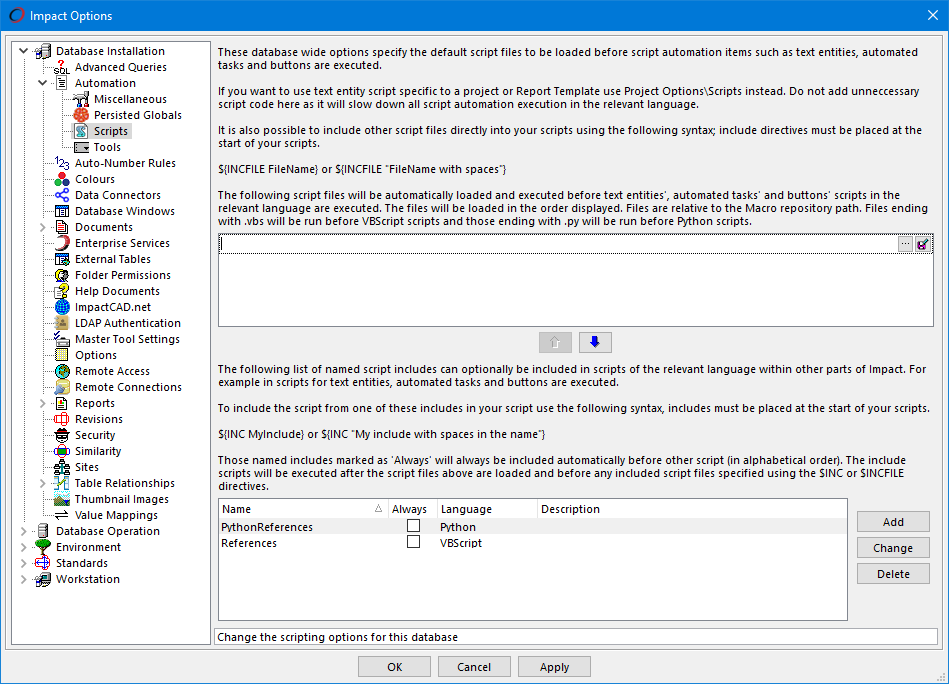
Database Installation - Automation - Scripts
Script files
The specified script files will be automatically loaded and executed before text entities', automated tasks' and buttons' scripts in the relevant language are executed. The files will be loaded in the order displayed. Files are relative to the Macro repository path. Files ending with .vbs will be run before VBScript scripts and those ending with .py will be run before Python scripts.
Use the ellipsis button  to add new files and the
 buttons to alter the order.
Script Include Files
A list of named Script Include Files can optionally be included in scripts of the relevant language within other parts of Impact. For example in scripts for text entities, automated tasks and buttons.
Press the Add or Change buttons to configure these scripts using the Script Include form.
To include the script from one of these include files in your script use the following syntax; includes must be placed at the start of your scripts.
${INC MyInclude} or ${INC "My include with spaces in the name"}
Those named Include Files marked as Always will always be included automatically before other script (in alphabetical order). The include scripts will be executed after the script files above are loaded and before any included script files specified using the $INC or $INCFILE directives.
See also
Feature Change History
The following changes have been made to this feature.
| History of Change | Version |
|---|---|
| Support for Python Scripting included | 2026 |